Buying: basket and checkout
How to add products to a basket, check out securely with card, and what happens for enquiry-only items where you contact the seller instead.
Some businesses sell directly on LocalFor.Me with an on-site basket and card checkout. Others list their products as a catalogue and ask you to get in touch to buy. What you see on a product page depends on how that business is set up.
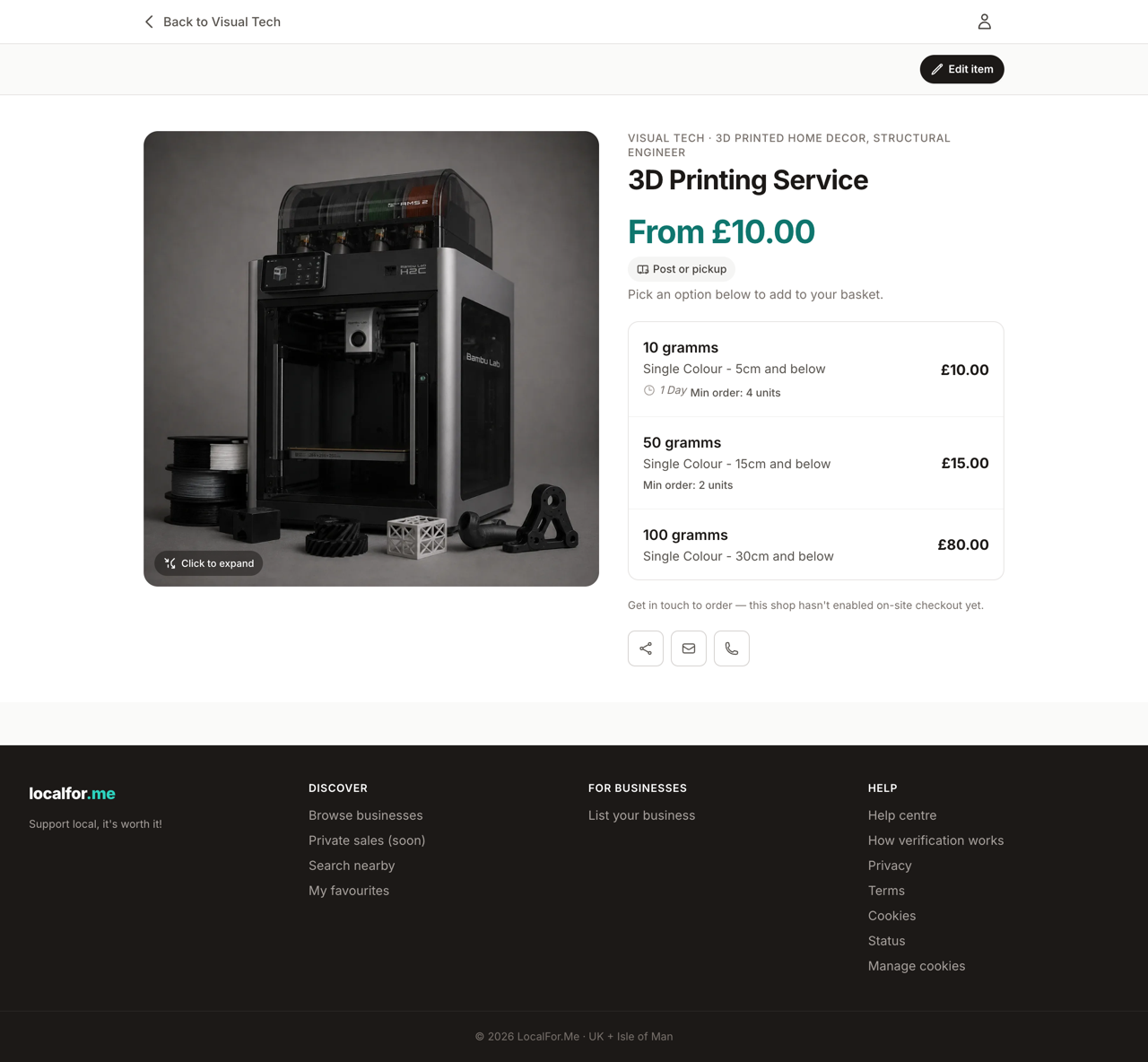
Adding to your basket
On a product page where the shop has on-site checkout enabled, you'll see an Add to basket button and a quantity stepper.
- If the product has options (for example Small / Medium / Large price tiers), each option has its own Add to basket button — click the one you want.
- Choose a quantity and add it. Some products or tiers have a minimum order quantity, shown next to the option.
- You get one basket per business, because each shop checks out through its own payment account.
Saved something for another day? Use Save for later to move a basket line into your personal saved list at /me/saved/, then move it back to the basket whenever you like.
Checking out
From your basket, continue to checkout. You'll need to be signed in.
- Your basket is re-checked for stock and any minimum order quantities — if something's changed, you'll be sent back to fix it.
- Pay securely by card. We never store your card number — payment is handled by Stripe.
- On success you land on a confirmation page with your order details.
After checkout you can see the order under My orders (/me/orders/), download a PDF invoice once it's paid, and message the merchant about it. Some businesses approve orders manually, in which case your card is held (authorised) and only charged once they accept — you can retract the request to release the hold while it's still awaiting approval.
Enquiry-only products
Where a business hasn't enabled on-site checkout, or a product is priced 'Enquire for price', there's no basket. Instead you'll see contact options:
- Enquire by email — opens an email to the seller with the product name filled in.
- Call — if the business has added a phone number.
- Visit website — for businesses that sell on their own site.
If a business hasn't added any contact details yet, the page will say so and point you to their website. Always agree price, payment and delivery directly with the seller for enquiry-only items.